

| Login Company 1-949-236-6510 | |
|
|
|
|
|
|
||||
he built in web server in Visual Studio (IIS Express for VS2010 and newer) is a convenient built in dev environment. It's much easier to use than full IIS and is the default for new web projects. While developing in a local copy of IIS may be needed for some customers, for those who want a simpler (zero configuration) development server, it's often quite suitable
The one big problem it's had has been that since Visual Studio itself is a 32 bit process, IISExpress was defaulted to running 32 bit. This has made it difficult to develop and test in 64 bit. For a long time, the solution was to use a local IIS instance.
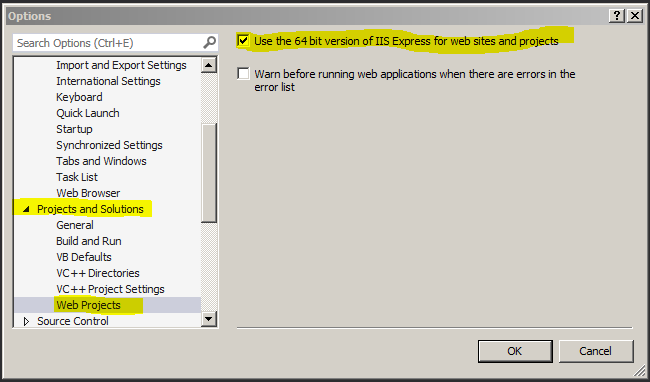
However, it is possible to toggle IIS Express's "bitness" to 64 or 32
For Visual Studio 2013 and newer, this is a fully supported feature, built in and just needs a quick dive into the options menu
For Visual Studio 2012,it requires a registry hack
It is STRONGLY recommended to use VS2013 or later if you need IIS x64 support and not to use the registry hack as it's not 100% reliable

The built in web server does not support x64 in VS2010 and older - if you must use one of these IDEs you'll need to use a local copy of IIS to develop/test in x64
2025-06-18 - TD